Call Of Duty: Black Ops
Graphics: 3/5
The single player graphics look halfway decent. It is a step down from its predessor, COD Modern Warfare 2. It still looks good, but it could have been better and seems like the developers got lazy. It has graphics of a game that they had made about 2 years ago but it does get the job done.
Sound: 3/5
The sound effects in this game are 'fake' sounding. The guns sound very weak and there is a lot of other things in the map that make unecessary sounds. They almost removed the ability to hear a foe approching, which was huge in the previous games.
Single Player: 4/5
I enjoyed the story, and the way that it was told. I like the fact that they tried a lot of new things with the new system. Many effects were used and the plot is better than every one of its previous counter-parts. It comes off as the regular war-zone type of cliche but certain elements are added that make it much more enjoyable. They even bring back old characters from the previous game.
Multi-Player: 4/5
You can play the traditional Player Vs Player (PvP) FPS game, which isnt really much of a change from any of the other games, besides slight changes in the mechanics. However in this game, they give you the option to play 'Zombies'. Here you can team up with friends and fight off endless hoardes of zombies, working to together to get to the next round. The multiplayer provides different playstyles for different gamers and is very well-rounded besides one or two game-breaking mechanics.


Tuesday, May 31, 2011

Friday, May 27, 2011
What is a Computer Game?
A computer game is something used to pass time, have fun, entertain, make money or play professionally.
It can be used to meet and connect with other through online gaming. When played professionally, you can travel across countries to compete and earn money and fame. A computer game gives people a way to talk and connect in many ways.
What makes a good game is a good storyline, gameplay, mechanics, multiplayer functions, competition and replayability. In my opinion, a good story and gameplay go hand in hand. The mechanics help towards the fun factor. If its a single-player game, replayability is a must. Once you complete the campaign or story of the game and are left with nothing else, the game becomes boring. Many classic games are so popular because of the replayability and competition. Simplicity is also a good factor in these games. Although many people also like to be given a good challenge.
What makes a bad game is if the game is hardly tested and has many bugs and glitches. A game that is not supported by its developer after-production is usually a bad sign. Also the story is bland and the gameplay is too choppy. The game might be extremely difficult or impossible to defeat. Also a game that is too easy to beat is bad aswell.
It can be used to meet and connect with other through online gaming. When played professionally, you can travel across countries to compete and earn money and fame. A computer game gives people a way to talk and connect in many ways.
What makes a good game is a good storyline, gameplay, mechanics, multiplayer functions, competition and replayability. In my opinion, a good story and gameplay go hand in hand. The mechanics help towards the fun factor. If its a single-player game, replayability is a must. Once you complete the campaign or story of the game and are left with nothing else, the game becomes boring. Many classic games are so popular because of the replayability and competition. Simplicity is also a good factor in these games. Although many people also like to be given a good challenge.
What makes a bad game is if the game is hardly tested and has many bugs and glitches. A game that is not supported by its developer after-production is usually a bad sign. Also the story is bland and the gameplay is too choppy. The game might be extremely difficult or impossible to defeat. Also a game that is too easy to beat is bad aswell.
Thursday, April 7, 2011
3.5 Setting up a Network Assignment 2
1. a) 
Maximum Length: 100M
b)
1000 feet or more for standard definition. 300 Feet for high definition.
c)
100KM
2) Describe how it works, or what it does:
Router
A router is a device that forwards data packets across computer networks. Routers perform the data "traffic directing" functions on the Internet
Bridge
A network bridge connects multiple network segments at the data link layer (Layer 2) of the OSI model.
Switch
A network switch or switching hub is a computer networking device that connects network segments.
3) Peer-to-Peer
How does it work? : Peer-to-peer (P2P) computing or networking is a distributed application architecture that partitions tasks or workloads between peers. Peers are equally privileged, equipotent participants in the application.
Give an example Torrenting.
Advantages:
lack of security
no computer in the network is reliable
Client/Server
How does it work?: The client–server model of computing is a distributed application structure that partitions tasks or workloads between the providers of a resource or service, called servers, and service requesters, called clients. Often clients and servers communicate over a computer network on separate hardware, but both client and server may reside in the same system. A server machine is a host that is running one or more server programs which share their resources with clients. A client does not share any of its resources, but requests a server's content or service function. Clients therefore initiate communication sessions with servers which await incoming requests
Give an example: To check your bank account from your computer, a client program in your computer forwards your request to a server program at the bank.
Advantages:
- All data stored in one location
- Easier to backup files and data
- Easier to find files and data
- Software optimised for multiple users
- Hardware optimised for multiple users
- One machine can secure entire network
- One central login
- Easy to add new resources
Disadvantages:
- If the server goes down, it takes part or the whole network with it.
- It is more expensive to install.
- Needs to be maintained by staff with high IT skills.
Maximum Length: 100M
b)
1000 feet or more for standard definition. 300 Feet for high definition.
c)
100KM
2) Describe how it works, or what it does:
Router
A router is a device that forwards data packets across computer networks. Routers perform the data "traffic directing" functions on the Internet
Bridge
A network bridge connects multiple network segments at the data link layer (Layer 2) of the OSI model.
Switch
A network switch or switching hub is a computer networking device that connects network segments.
3) Peer-to-Peer
How does it work? : Peer-to-peer (P2P) computing or networking is a distributed application architecture that partitions tasks or workloads between peers. Peers are equally privileged, equipotent participants in the application.
Give an example Torrenting.
Advantages:
Client/Server
How does it work?: The client–server model of computing is a distributed application structure that partitions tasks or workloads between the providers of a resource or service, called servers, and service requesters, called clients. Often clients and servers communicate over a computer network on separate hardware, but both client and server may reside in the same system. A server machine is a host that is running one or more server programs which share their resources with clients. A client does not share any of its resources, but requests a server's content or service function. Clients therefore initiate communication sessions with servers which await incoming requests
Give an example: To check your bank account from your computer, a client program in your computer forwards your request to a server program at the bank.
Advantages:
- All data stored in one location
- Easier to backup files and data
- Easier to find files and data
- Software optimised for multiple users
- Hardware optimised for multiple users
- One machine can secure entire network
- One central login
- Easy to add new resources
Disadvantages:
- If the server goes down, it takes part or the whole network with it.
- It is more expensive to install.
- Needs to be maintained by staff with high IT skills.
Tuesday, March 15, 2011
3.2 Building or Buying
Three advantages of building a computer yourself are;
1: You can choose exactly what parts you want. Some pre-built computers give you the option to customize some parts, but you are still limited.
2: By building a computer yourself, you learn about all the parts and what they do. In short, you gain much more knowledge then you would from buying a pre-built computer.
3: Can be made to fit a certain thing you want to do. An example would be a gaming computer. This means that you would choose parts specifically for the games you want to play. A good video card is a must in a gaming computer.
Three advantages of buying a computer are;
1: It costs less to go out and purchase a computer. However nowadays they are almost the same price.
2: Consistancy. If you buy a computer, you are guarenteed for it to work.
3: If you buy a specific computer, such as a mac, you get features that you wouldnt normally get from building one.
In my opinion, I believe building a computer is much better than going out and buying one. This is because if you build one, you really have so much more freedom over your choices and the knowledge is extensive. It would also be helpful to add into a resume for a job that you build a computer youself if it has to do with electronics. Overall it is more cost-effecient because your the one choosing what goes in. You have the liberty of choosing what parts are cheap and good at the same time.
1: You can choose exactly what parts you want. Some pre-built computers give you the option to customize some parts, but you are still limited.
2: By building a computer yourself, you learn about all the parts and what they do. In short, you gain much more knowledge then you would from buying a pre-built computer.
3: Can be made to fit a certain thing you want to do. An example would be a gaming computer. This means that you would choose parts specifically for the games you want to play. A good video card is a must in a gaming computer.
Three advantages of buying a computer are;
1: It costs less to go out and purchase a computer. However nowadays they are almost the same price.
2: Consistancy. If you buy a computer, you are guarenteed for it to work.
3: If you buy a specific computer, such as a mac, you get features that you wouldnt normally get from building one.
In my opinion, I believe building a computer is much better than going out and buying one. This is because if you build one, you really have so much more freedom over your choices and the knowledge is extensive. It would also be helpful to add into a resume for a job that you build a computer youself if it has to do with electronics. Overall it is more cost-effecient because your the one choosing what goes in. You have the liberty of choosing what parts are cheap and good at the same time.
Monday, March 14, 2011
3.1 Introduction to Computer Systems
 1. A computer tower is the enclosure that contains most of the components of a computer(usually excluding the display, keyboard and mouse). Cases are usually constructed from steel or aluminum. Plastic is sometimes used, and other materials such as wood and even Lego blocks have appeared in home-built cases.
2. RAM is an abbreviation for Random Access Memory. It usually refers to "temporary" memory, which is when the system is shut down, the memory is lost. This is why the memory is referred to as being "random", as any piece of information can be circulated through the memory regardless of its location and its relation to any other information within the RAM.
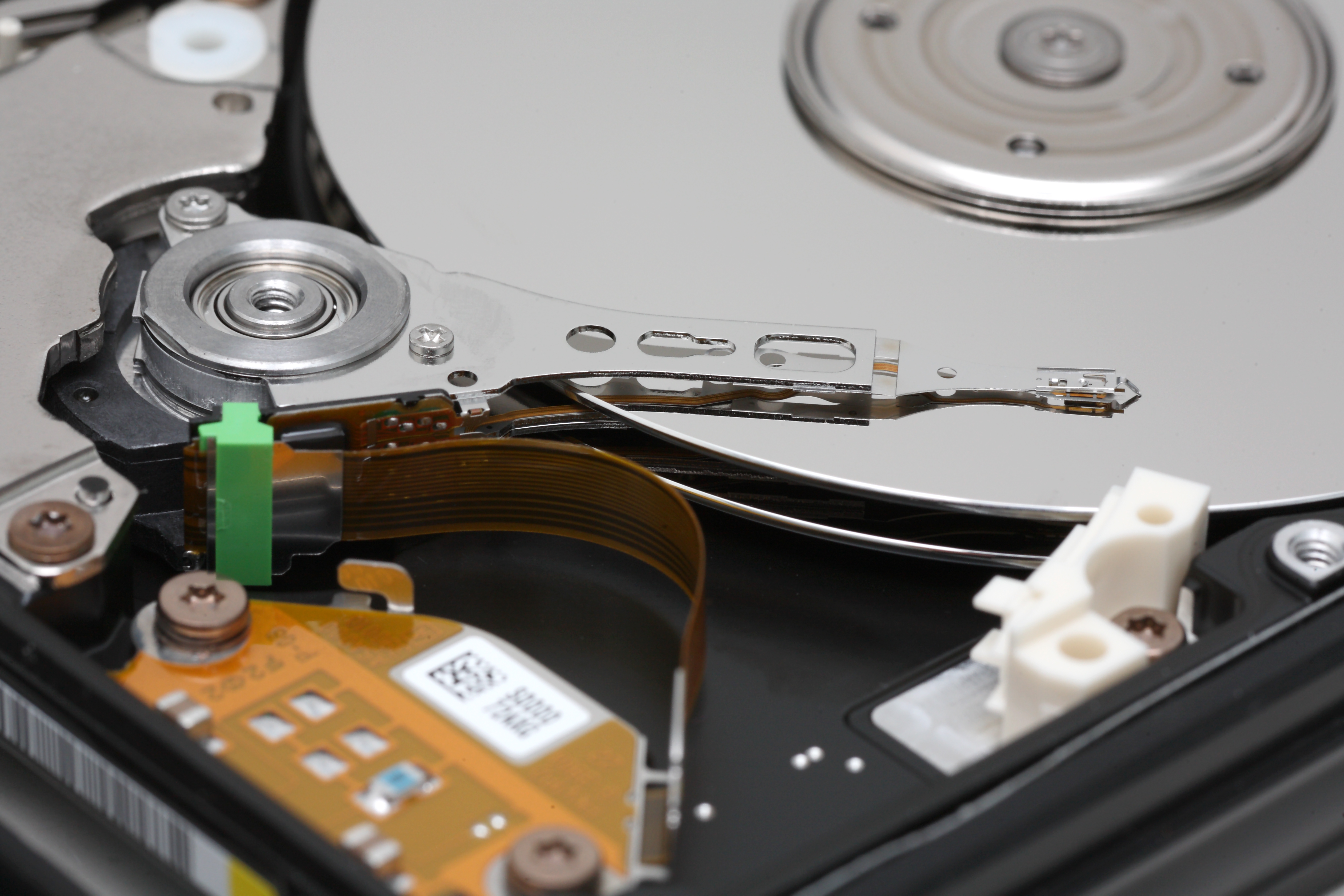 3. A hard drive is a non-volatile, random access device for digital data. It features rotating riged platters on a motor-driven spindle within a protective enclosure. Data is magnetically read from and written to the platter by read/write heads that float on a film of air above the platters.

4. DVD is an optical disc storage media format, invented and developed by Philips, Sony, Toshiba, and Time Warner in 1995. DVD discs offer higher storage capacity than compact discs while having the same dimensions. A DVD drive uses a low-power laser to read digitized (binary) data that have been encoded onto the disc in the form of tiny pits.
 5. An Ethernet cord is the cable that connects your computer to the Internet through a cable modem. It is used in wired Internet and network setups.
6. A motherboard is the central printed circuit board (PCB) in many modern computers and holds many of the crucial components of the system, while providing connectors for other peripherals.
 7. A computer bus interface for connecting host bus adapters to mass storage devices such as hard disk drives and optical drives. There is really no difference between IDE (more correctly called PATA) and SATA hard disks, except in the way they connect to the PC. The SATA connector is simpler and the cable is less fussy.
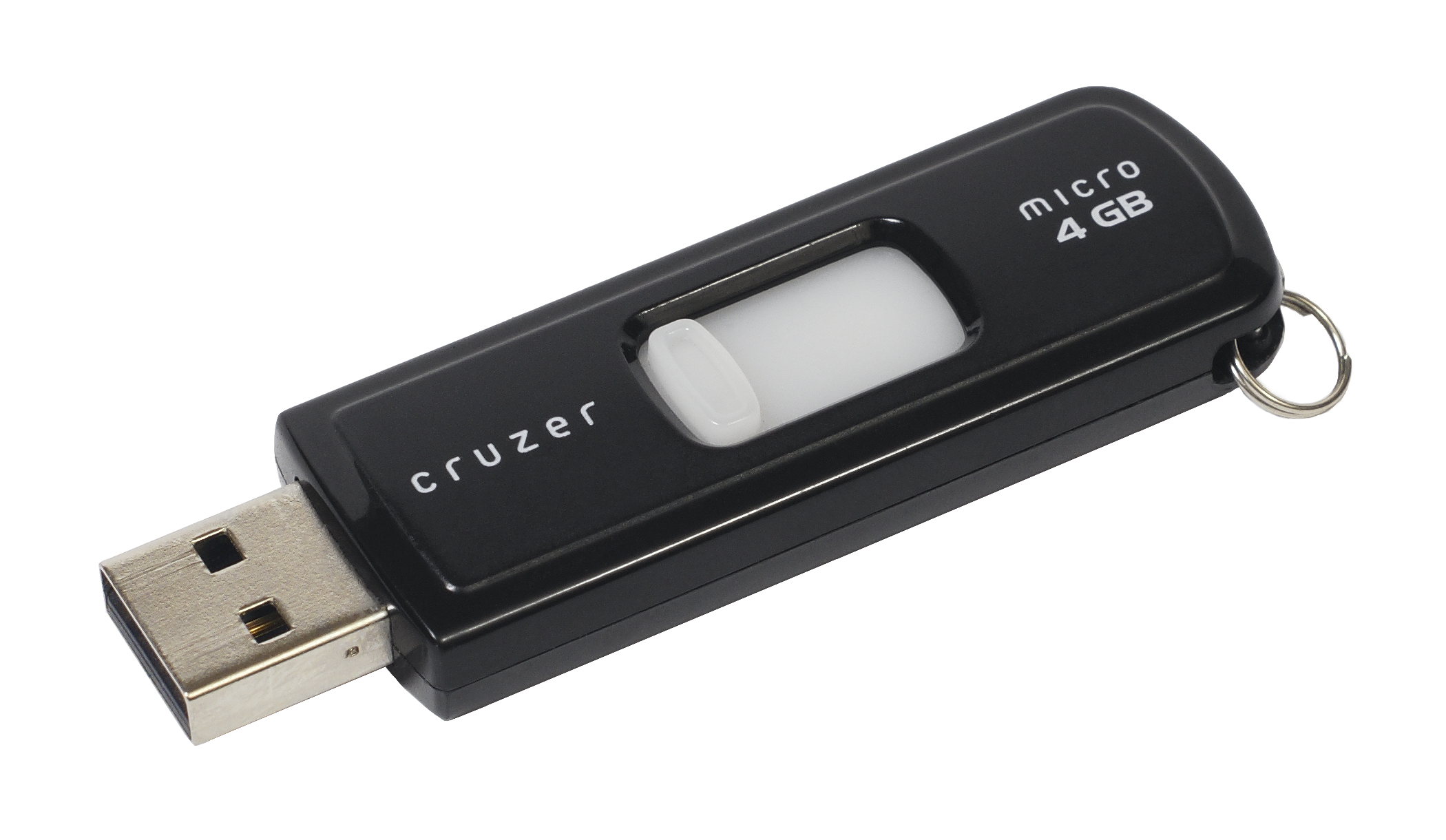 8. A USB flash drive consists of a flash memory data storage device integrated with a USB (Universal Serial Bus) interface. USB flash drives are typically removable and rewritable, and physically much smaller than a floppy disk.
  9. A video card is an expansion card whose function is to generate output images to a display. Many video cards offer added functions, such as accelerated rendering of 3D scenes and 2D graphics, video capture, TV-tuner adapter, MPEG-2/MPEG-4 decoding, FireWire, light pen, TV output, or the ability to connect multiple monitors (multi-monitor). Other modern high performance video cards are used for more graphically demanding purposes, such as PC games.
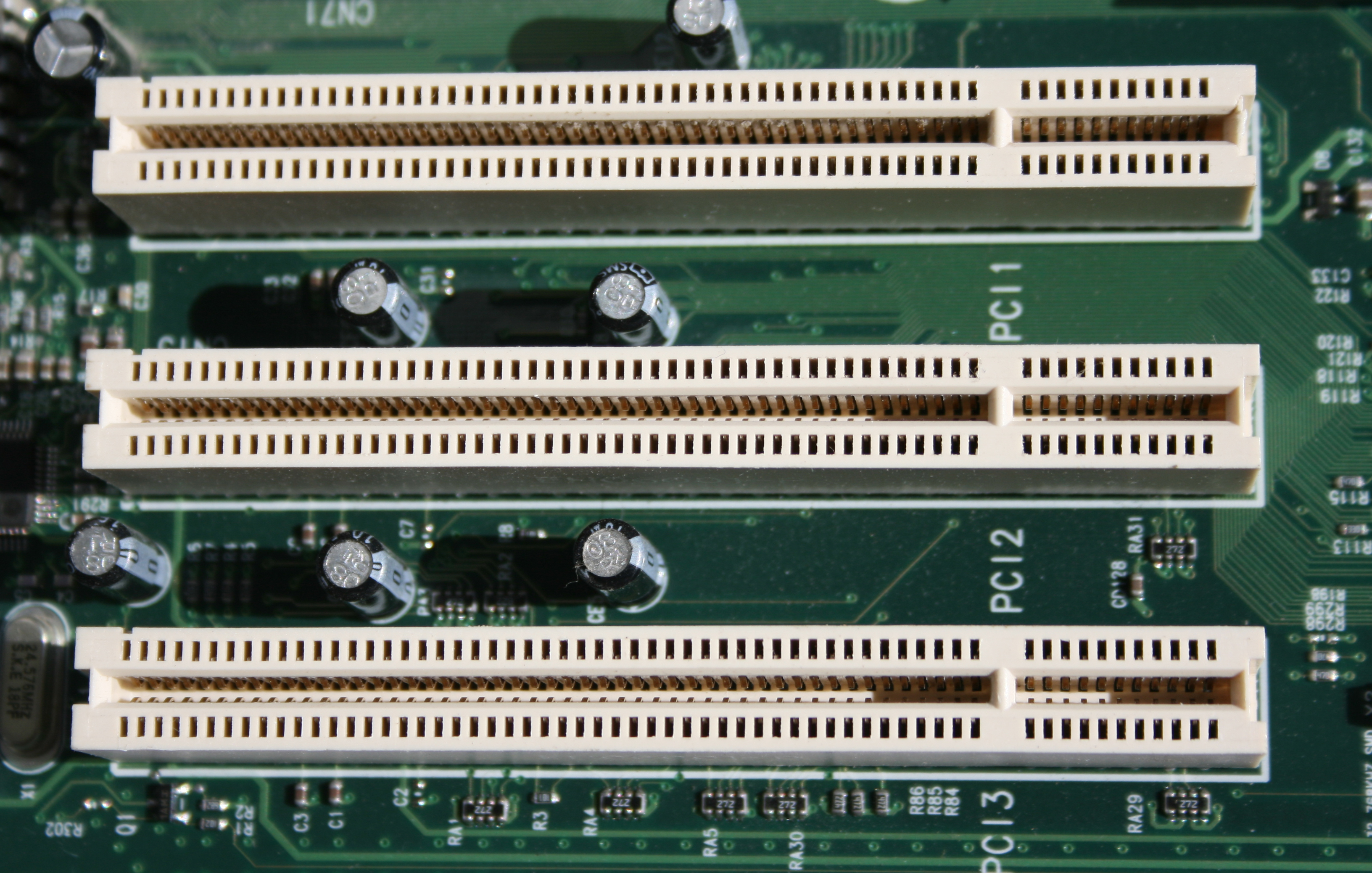 10. PCI is an initialism formed from Peripheral Component Interconnect. It is a part of the PCI Local Bus standard and often shortened to PCI is a computer bus for attaching hardware devices in a computer. These devices can take either the form of an integrated circuit fitted onto the motherboard itself, called a planar device in the PCI specification, or an expansion card that fits into a slot. The PCI Local Bus is common in modern PCs, where it has displaced ISA and VESA Local Bus as the standard expansion bus, and it also appears in many other computer types. Despite the availability of faster interfaces such as PCI-X and PCI Express, conventional PCI remains a very common interface.
3.0 Background Check
What I already know about computer systems is some but not all terminology and a bit on the hardware itself. Also I have helped my dad set up our home network. I know many operating systems, what they are and what they are. My dad is a computer engineer so I learned the very basics of everything. Most of my computer knowledge is in fixing things on the inside.
Subscribe to:
Comments (Atom)